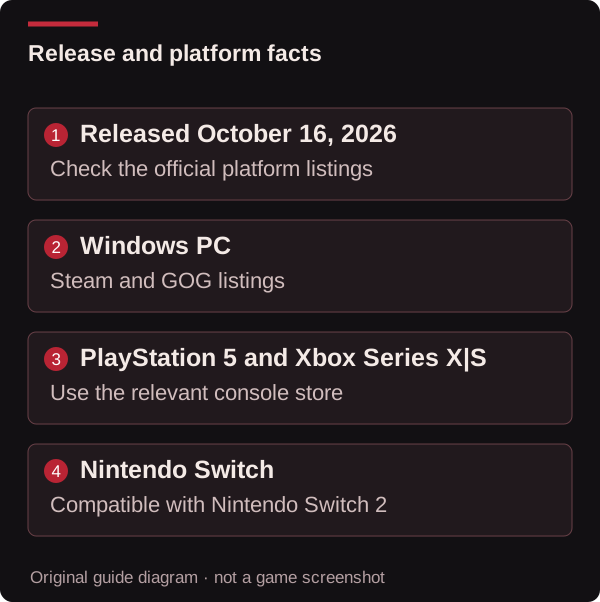
The Tenebris Somnia release date is October 16, 2026. The game is available now, rather than awaiting its original launch. It was developed by Andrés Borghi and Saibot Studios and published by New Blood Interactive.
This page helps you choose an official store, distinguish editions and check compatibility before downloading. Store information was checked again on October 24, 2026. Availability facts are separate from a claim that we tested every platform or inspected the build installed on your device.
Tenebris Somnia release date and current status
Steam lists October 16, 2026, and the publisher’s launch announcement confirms the game is out. The official Xbox Wire launch article is also dated October 16. Earlier trailers and previews naturally describe an upcoming release; those older descriptions do not override the released product pages.
Use the product’s title and platform together when checking availability. A full game, a demo, a bundle and a physical preorder can all share the Tenebris Somnia name while offering different purchases or downloads. The original digital launch date does not establish when a separately ordered physical edition ships.
Confirmed platforms and official stores
| Platform or edition | What the checked source establishes | Official destination |
|---|---|---|
| Windows PC on Steam | Released game, Steam features and current PC requirements | Steam |
| Windows PC on GOG | Full-game listing specifying Windows | GOG |
| PlayStation 5 | A PS5 product published by New Blood Interactive | PlayStation Store |
| Xbox Series X|S and Xbox on PC | Availability and Xbox Play Anywhere described by the executive producer | Xbox Wire |
| Nintendo Switch | Nintendo Switch digital product | Nintendo Store |
| Nintendo Switch 2 compatibility | Compatibility with that Nintendo Switch product | Nintendo compatibility details |
The Xbox article identifies Play Anywhere for the Xbox product. Follow the Xbox/Microsoft listing when checking that console-and-PC entitlement, region and account requirements. Other storefronts describe their own products and features.
For PlayStation, the product’s main platform field identifies PS5. General navigation links, controller references or reusable store-page text should not be treated as a separate PS4 release announcement.
Nintendo Switch and Switch 2: which edition is listed?
Nintendo labels the checked product Nintendo Switch and says its behaviour on Switch 2 is consistent with Switch. That establishes compatibility. It does not establish an independently sold native Switch 2 version, an upgrade package or an enhanced performance mode.
The publisher also promotes Switch 2 on its game page. For the specific edition being purchased, Nintendo’s version field is the useful distinction. Open the listing for your region and check the version, supported play modes and compatibility information together rather than relying on a platform name in promotional artwork.
Windows requirements and Steam Deck
Steam and GOG specify Windows for their PC products. This page has not confirmed a separately published native macOS or Linux build. The Steam game is Deck Verified, as stated by its store listing and the official launch announcement; that compatibility status is different from the operating-system platforms offered as native downloads.
Steam’s full-game minimum requirements currently list:
| Component | Steam minimum |
|---|---|
| Operating system | Windows 10 64-bit or later |
| Processor | 2.4 GHz dual-core or higher |
| Memory | 8 GB RAM |
| Graphics | 4 GB VRAM or greater |
| Graphics interface | DirectX 11 |
| Storage | 13 GB available space |
These are the Steam listing’s requirements, not a benchmark or a guarantee for every device. GOG’s displayed requirement fields differ, so use the requirements attached to the product you plan to install. Do not apply a smaller demo download or an older preview’s storage figure to every full-game edition.
Controller support and accessibility information
Steam lists Full Controller Support, with Xbox controllers identified. That gives a clear answer for controller-based play on that product. It does not provide a tested configuration for every controller model, operating system or custom layout.
We have not measured Deck frame rates or battery life, or inspected every remapping, text-size, colour-filter and alternative-input setting. If a particular accommodation determines whether you can play, inspect the current platform listing and the installed settings. A feature not verified by this guide should not be described as absent from the game.
Interface and subtitle languages
Steam lists the following languages for both interface and subtitles:
| Language | Interface | Subtitles |
|---|---|---|
| English | Listed | Listed |
| Spanish — Spain | Listed | Listed |
| Spanish — Latin America | Listed | Listed |
| Japanese | Listed | Listed |
| Portuguese — Brazil | Listed | Listed |
Steam’s full-audio column is not a complete dubbing promise for those rows. Language availability also belongs to an edition and storefront: use your console product details when choosing a console purchase rather than assuming its fields exactly match Steam.
Official demos before buying
Steam offers a Download Demo option. GOG also has a separate free Tenebris Somnia Demo product, linked from its full-game description. The October 16 announcement says the demo was updated.
The demo download and version guide explains how to identify the edition and choose suitable help. Demo availability does not establish progress transfer, a matching full-game build or a verified completion time. Those questions need evidence about the particular trial being played.
Patch numbers and guide compatibility
The latest named PC patch found in the checked developer patch thread is 1.0.1, headed October 17, 2026. It addresses simultaneous achievement unlocks and several gameplay issues.
This is a published patch reference, not a claim that your installation has that exact build. Console patches, GOG releases and the demo should not inherit the Steam patch label by assumption. When a walkthrough differs from your screen, identify the store, edition and displayed version before comparing the steps.
Physical editions and current prices
The publisher’s official page currently advertises physical-edition preorders from Lost in Cult. That confirms an official place to start checking physical availability; it does not confirm that an order has shipped, a delivery date or a particular regional stock level.
Prices, currencies, promotions and bundle contents can change. Read the live store offer for your region and platform. A launch discount in an older article should not be treated as a permanent price, and a physical preorder should not be confused with the already released digital game.
What kind of game will I be playing?
The game combines pixel-art survival horror, puzzles and resource-limited combat with live-action scenes. In the Xbox Wire article, executive producer Airdorf explains that the filmed sequences connect to gameplay rather than serving only as rewards at the end.
For spoiler-light starting help, open the walkthrough index. For saving, replay requirements and achievement planning, use the FAQ. This is an independent guide; official stores remain the destination for purchasing, product entitlements and current platform requirements.
Sources & corrections
This guide is written from the sources below and reviewed for consistency. We do not claim a personal playtest. Source-check dates describe evidence review; the updated date above describes changes to this page.
Version scope: not applicable — official release information checked 2026-10-24. Follow the stated full-game or demo scope; exact installed builds and platform parity are not assumed.
- Steam — Tenebris Somnia official store ↗ — source checked 2026-10-24
- New Blood Interactive — Tenebris Somnia ↗ — source checked 2026-10-24
- Xbox Wire — Tenebris Somnia, by executive producer Airdorf ↗ — source checked 2026-10-24
- Nintendo — Tenebris Somnia product and Switch 2 compatibility ↗ — source checked 2026-10-24
- PlayStation — Tenebris Somnia for PS5 ↗ — source checked 2026-10-24
- GOG — Tenebris Somnia for Windows ↗ — source checked 2026-10-24
- Steam — official launch announcement and 1.0.1 hotfix ↗ — source checked 2026-10-24
- Steam — developer-pinned 1.0.1 patch notes ↗ — source checked 2026-10-24
- GOG — free Tenebris Somnia Demo ↗ — source checked 2026-10-24
Found a different result? Send a correction with the guide URL, game version and the affected step.